- Minimum deposit
- ৳300
- Money in
- 4 min
- Money out
- 16 min
- Help
- 24/7
What to sort out before you send money
A 1xbat deposit is fast on our side. The four minute window starts when the payment reaches us, not when you open the wallet app, and most of the waiting players report happens on the phone screen. A wrong reference number, a daily limit already spent, or a balance sitting ৳20 under the minimum will all stop a transfer before it starts.
Have three things in front of you: the mobile number registered to your bKash, Nagad, Rocket or Upay account, the amount you want to add, and the account you plan to play from. Use the same number you signed up with. When the wallet name and the profile name match, the payment clears without a human touching it.
The floor is ৳300. Below that the cashier will not open a payment, so a ৳100 top-up has to wait until you are ready to send a little more. There is no upper limit beyond what your own wallet or bank allows per transaction, which is a limit set by them, not by us.
If this is your first payment, decide now whether you want the welcome offer attached to it. The first deposit bonus pays 205% on top of the amount you send, up to ৳28,500, and the bonus credit carries a 22x wagering requirement before it can be withdrawn. Claiming is one tap on the deposit screen; skipping it later is not possible.
One more habit worth building early: keep the SMS from your wallet until your balance updates. The transaction ID in that message is the single piece of information that lets live chat find a stuck payment in seconds.
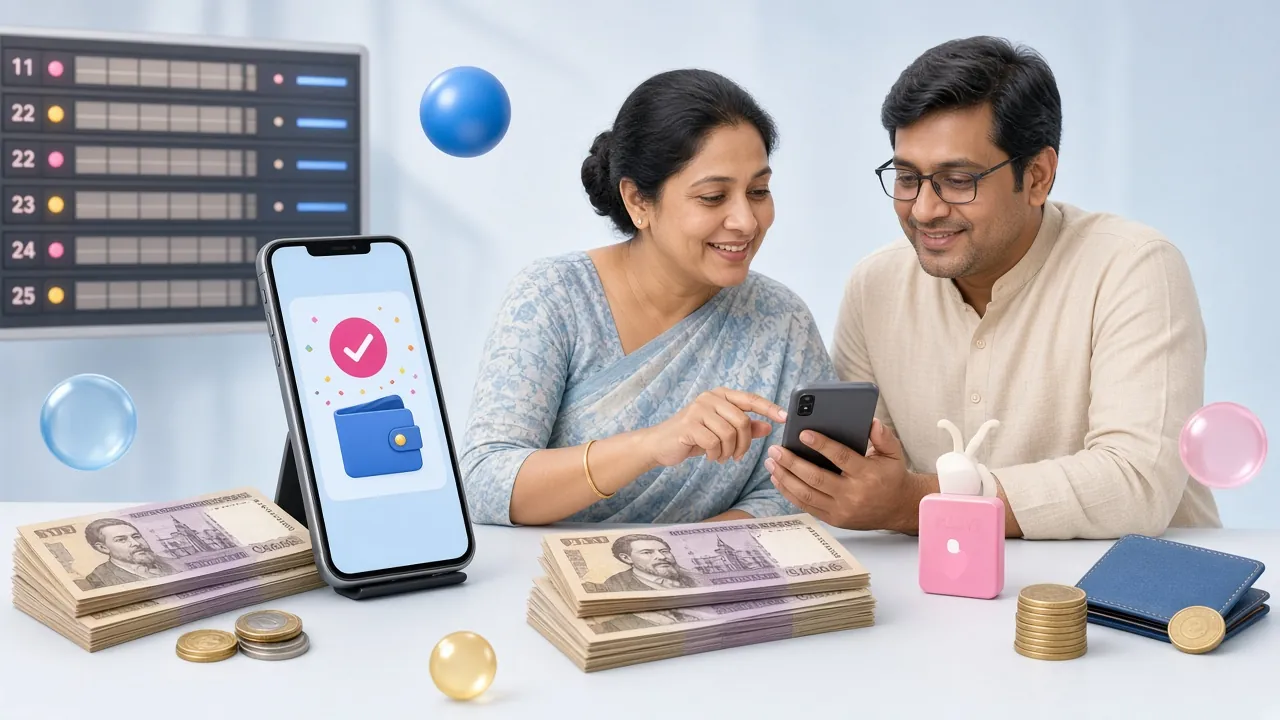
Which method should you pick?
All five options land in about four minutes once the payment is sent, so the choice is really about what your own wallet allows. bKash and Nagad cover most small top-ups, Rocket suits players who already bank with Islami Bank, Upay sits between a wallet and a bank account, and a bank transfer is the cleanest route for larger amounts you do not want to split across several wallet payments.
-
bKash
In: 4 min
Out: 16 min
Min ৳300
-
Nagad
In: 4 min
Out: 16 min
Min ৳300
-
Rocket
In: 4 min
Out: 16 min
Min ৳300
-
Upay
In: 4 min
Out: 16 min
Min ৳300
-
Bank
In: 4 min
Out: 16 min
Min ৳300
| Method | Minimum | Arrives | Cash out | Status |
|---|---|---|---|---|
| bKash | ৳300 | About 4 min | About 16 min | Open |
| Nagad | ৳300 | About 4 min | About 16 min | Open |
| Rocket | ৳300 | About 4 min | About 16 min | Open |
| Upay | ৳300 | About 4 min | About 16 min | Open |
| Bank Transfer | ৳300 | About 4 min | About 16 min | Open |
Numbers on that board are quoted right so you can compare at a glance: ৳300 is the smallest payment we accept, four minutes is what a normal cash in takes, and sixteen minutes is the usual cash out time. If a payment has not landed after ten minutes, the reference number is the first thing to check.
The four taps from cash to credit
The flow is the same whatever you pick. Read it once and every later deposit becomes muscle memory, usually under a minute of tapping.
-
1
Log in first
The cashier only appears inside a signed-in session. If you land on the site from a search result, use your 1xbat login before you touch the deposit button.
-
2
Open the cashier
Tap Deposit, choose bKash, Nagad, Rocket, Upay or Bank Transfer, then type the amount. The screen shows the exact receiving number and reference for this payment.
-
3
Send from your wallet
Open the wallet app, use Send Money, paste the amount, and put the reference in the reference field. Confirm with your PIN and save the transaction ID.
-
4
Watch the balance
A normal 1xbat deposit lands in about four minutes. Keep the wallet SMS until the number updates; it is your proof if anything goes quiet.
Cash in on each method, line by line
Each wallet app hides its confirmation screen in a slightly different place. The steps below follow the order the screens appear on a normal Android phone in Dhaka, and the same order works on iOS.
bKash
- In the cashier, select bKash and enter the amount you want to add.
- Copy the number and the reference shown on that screen.
- Open bKash, tap Send Money, paste the number and the amount.
- Type the reference in the reference box, then confirm with your PIN.
- Return to the cashier and let the balance refresh on its own.
Most bKash failures come from the reference field being left empty or filled with the wrong digits. The payment still goes through, but it arrives without a label and has to be matched by hand.
Nagad
- Choose Nagad in the cashier and set the amount.
- Read the receiving number carefully; Nagad screens sometimes add a leading zero.
- Use Send Money in the Nagad app and enter the amount in full.
- Add the reference, confirm with your PIN, and note the transaction ID.
- Go back to the cashier and wait for the update.
Nagad applies its own daily and monthly ceilings. If the app refuses the amount before you reach the PIN screen, the wallet limit is the reason, not the deposit page.
Rocket
- Pick Rocket in the cashier and enter the amount.
- Note the 12-digit wallet number exactly as it is printed on screen.
- In the Rocket app, choose Send Money and paste the number without editing it.
- Enter the amount, add the reference, and confirm.
- Wait for the balance to update in the cashier window.
Rocket numbers are long and easy to shorten by a digit. Copy and paste instead of typing, and if the app says the number is invalid, clear the field and paste again.
Upay
- Select Upay in the cashier and type the amount.
- Copy the receiving number and reference.
- Open Upay, tap Send Money, and paste both fields.
- Confirm the payment and keep the confirmation SMS.
- Return to the cashier to see the new balance.
Upay accounts are often opened through a bank, which means the name on the wallet is the name on the bank account. If those two differ from your 1xbat profile, the payment may still land but the account will need a document check later.
Bank transfer
- Choose Bank Transfer in the cashier and note the account name, account number and routing details shown.
- Open your bank app or visit the branch counter and enter the amount.
- Put your 1xbat username or the reference number in the narration field. This field matters more on a bank slip than anywhere else.
- Save the slip or the screenshot of the transfer confirmation.
- Return to the cashier. Bank routes are quoted at the same four minutes, but a slip sent without a narration is the slowest case to match by hand.
Use a bank transfer when the amount is large enough that your wallet would split it across several transactions. One clean transfer with one clear narration costs you less time than five small ones.
When the money leaves your wallet but not your balance
This is the one thing players write to live chat about. Almost every case ends the same way: the payment went through, the reference did not travel with it, and a manual match fixes it. Do not send the same amount a second time before you have checked the history.
| What you see | Usual cause | Do this first |
|---|---|---|
| Balance unchanged after 10 minutes | Reference missing or mistyped | Send the transaction ID to live chat and wait for the match |
| Wallet refuses the amount before the PIN screen | Daily or monthly limit on your wallet | Send a smaller amount or switch to another method |
| App shows the payment as failed, wallet shows it as sent | Cashier window closed before the confirmation came back | Reopen the cashier; the record is already in your history |
| Payment bounces back to your wallet | Receiving side limit reached at that moment | Try again in a few minutes or use a different method |
| Deposit credited, bonus not visible | Offer already claimed, or wagering already running | Check the bonus page for the current state of your offer |
| Account asked for documents | Wallet name differs from the profile name | Send NID, passport or driving licence; review takes about 2 hours |
Before you open live chat, gather four details: the method you used, the amount, the exact time on your phone, and the transaction ID from the wallet SMS. Add a screenshot of the confirmation if you have one. With those four pieces the team can usually trace a payment while you are still typing, and 24/7 Live Chat means there is no waiting for morning.
One rule saves the most money: never repeat a payment that looks stuck. Two identical transfers without a reference are twice the work to untangle, and the second one can be refused by the receiving limit anyway.
What the first deposit adds on top
Send ৳5,000 and the bonus is 205% of that amount, comfortably inside the ৳28,500 cap. The credit lands with the deposit and sits next to your own money, but it only becomes withdrawable after the 22x wagering requirement is cleared. Read the terms before you plan a withdrawal around it.
Repeat deposits are not left out. The reload offer adds 9% each time, and daily cashback of 1% runs alongside it on your play. Neither of those replaces the welcome offer, so if the first deposit is still ahead of you, use it before anything else.
Names, documents and payouts
Payments are matched on the name and number in your profile. A deposit sent from a cousin's bKash account usually goes through without a question, then holds up the first withdrawal weeks later. The fix at that point is a document check you could have avoided by sending from your own wallet.
Before your first withdrawal you will be asked for one document: a National ID card, a passport or a driving licence. Review takes about 2 hours. The first payout itself normally clears in about 1 hour while that check is done in the same window; after that, a withdrawal is quoted at 16 minutes.
The minimum withdrawal is ৳1,200 and the daily ceiling on a standard account is ৳85,000. Those two numbers matter when you plan a cash out, because a large win may need to be taken over more than one day.
Keep the account details to yourself. No member of staff will ask for your wallet PIN, your one-time code, or a payment sent to a personal number. Every legitimate deposit starts inside the cashier on the site or in the app, and every number you need is printed there for that single payment.
Deposit questions we hear on live chat
What is the smallest 1xbat deposit I can make?
৳300. The cashier will not open a payment below that amount, so a smaller top-up has to wait until you are ready to send at least the minimum. Every one of the five methods uses the same floor.
How long should a bKash deposit take?
About four minutes once the payment is sent, the same as Nagad, Rocket, Upay and bank transfer. If ten minutes pass with no change, check that the reference number went in with the payment, then bring the transaction ID to live chat.
Can I deposit from someone else's wallet?
The payment may be accepted, but the name mismatch will surface at withdrawal and cost you a document review. Send from the wallet registered in your own name, on the number you used to sign up.
Why is my balance still the same after paying?
Nine times out of ten the payment arrived without its reference. Send live chat the method, amount, time and transaction ID, and the team can match it to your account. Do not send the payment a second time while that is happening.
Can I cancel a deposit once I have sent it?
No. Once the money leaves your wallet it is with us, and the only path is forward. If the amount was wrong or the account was wrong, contact 24/7 Live Chat immediately with the transaction ID rather than sending a correcting payment.
What does it cost to deposit?
Look at the confirmation screen in your wallet or bank app before you approve the payment. Wallet operators show their own charges there, and those charges come from them. The amount that reaches your 1xbat balance is what the cashier credits.
Does the app have the same cashier?
Yes. The deposit screen in the app runs on the same account and the same methods, with the same four minute arrival time. Install it from the 1xbat app page if you would rather top up without opening a browser.
Put the first deposit in, then the lobby opens
Create the account, add the mobile number you actually use for bKash or Nagad, and send ৳300 or more from a wallet in your own name. The balance is live in about four minutes, and the welcome offer is attached to that first payment only.
Already registered? Use the 1xbat login page to open the cashier and skip straight to the payment screen.